Notch
 github.com/Snoe0/notch
Context
I hate web to-do lists, and it is not really the tools I hate. It is the tab. A list in a browser costs a window to find, an app to switch into, and a tab you have to keep alive all day so it is there when you want it, and by the time I have done all of that I have usually forgotten the thing I was going to write down. What I wanted was to be able to put a sentence somewhere without leaving whatever I was in the middle of.
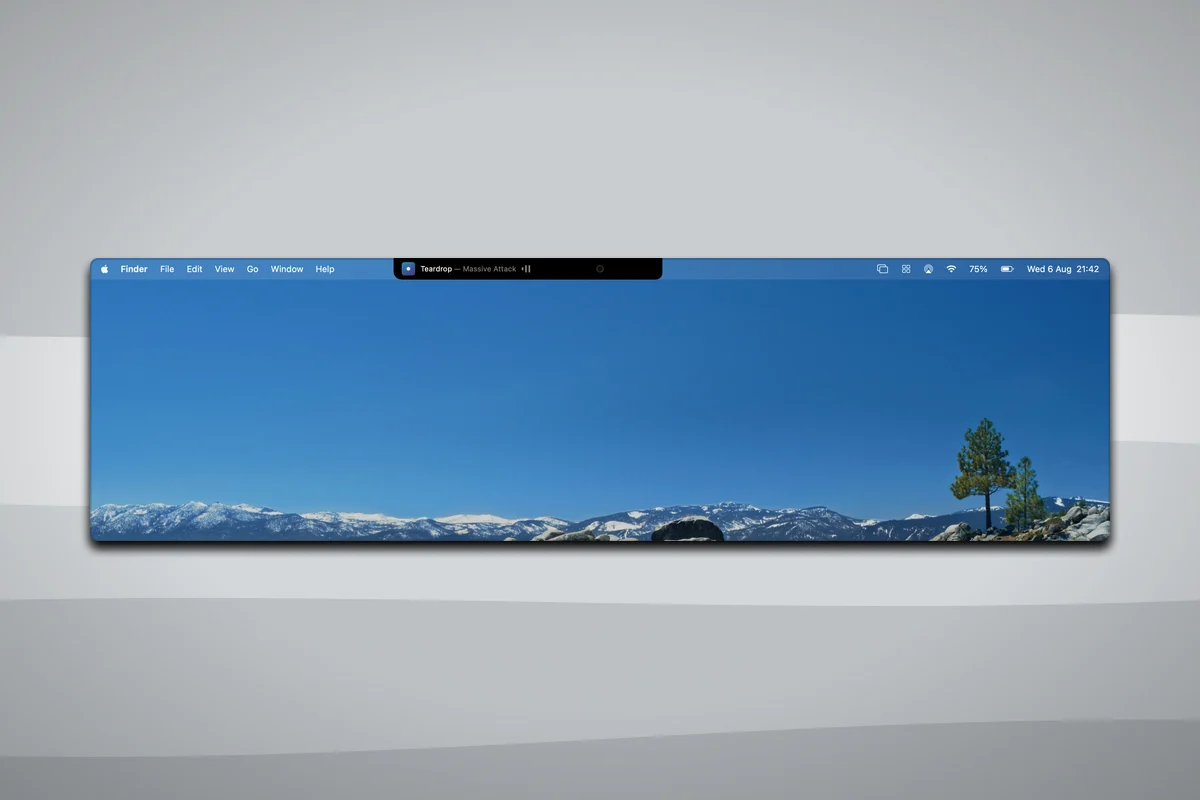
The notch is the one part of the screen that is already dead. Apple put a camera in the top of the display and then asked every app on the machine to route around it, and the pixels either side of it sit about as close to where the cursor already lives as anything on a Mac does. Turning that into the fastest control on the machine only works if arriving there costs nothing, which rules out a hotkey to remember, a Dock icon to click, and a window to manage. It has to open because the cursor turned up, and that turned out to be the difficult part rather than the easy one.
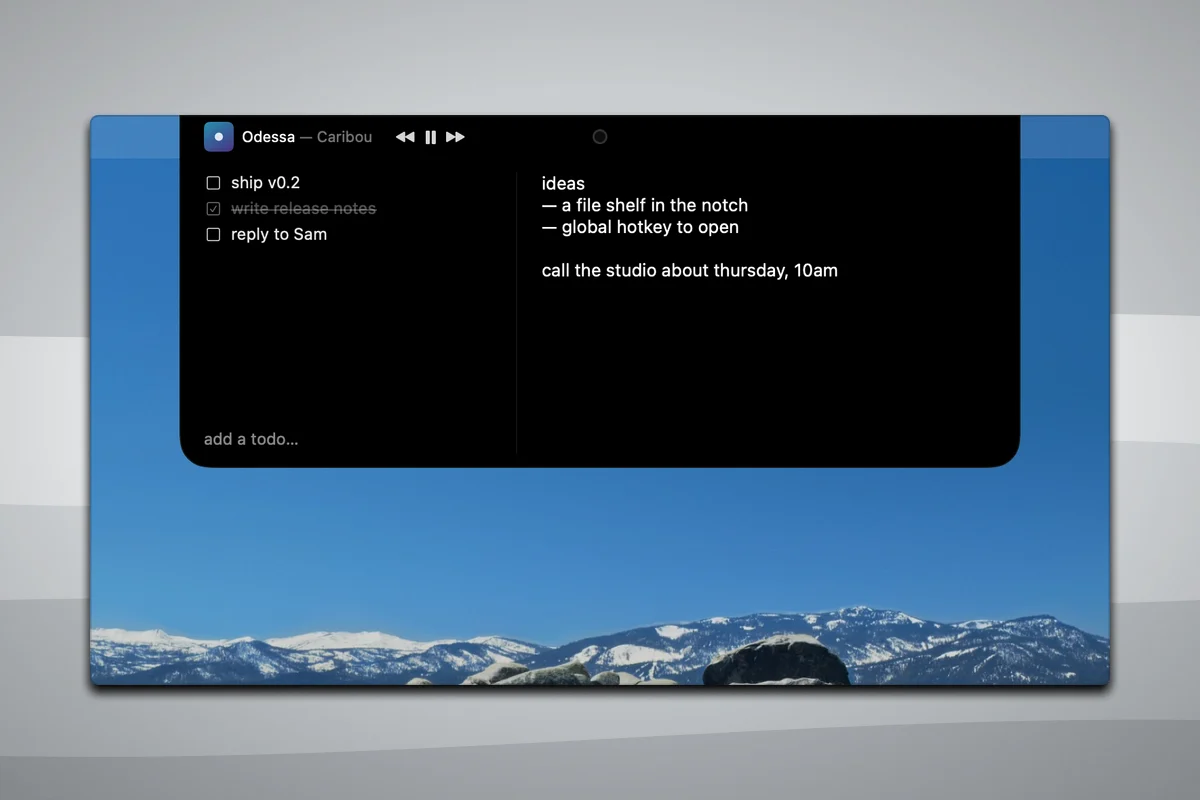
So Notch is a panel that springs out of the notch when the cursor rests on it. There is a scratchpad, a short checklist, transport controls for Music and Spotify, and a pomodoro timer, and everything you type lands in plain markdown in a folder you can open in any editor. No Dock icon and no window. It is MIT licensed on GitHub, because the interesting part is the notch rather than my particular list, and I would rather other people build things off it than not.
Details
- Role
- Designer and Developer
- Team
- Solo
- Timeline
- Jul — Aug 2026
- Built with
- Swift 6, SwiftUI, AppKit, GitHub Actions
- Deliverables
- macOS app, DMG installer, signing and notarisation pipeline
- Status
- Open source under MIT, one release out
Tech stack
- App
- Swift 6·SwiftUI·AppKit·NSPanel
- Hover
- Cursor polling·Measured notch geometry·A three-state machine
- Storage
- Plain markdown·Debounced atomic writes·A directory watcher
- Media
- AppleScript·osascript·Music.app·Spotify
- Tests
- swift-testing·GitHub Actions
- Distribution
- Developer ID·Hardened runtime·notarytool·DMG
Final artifacts
Key design moments
A notes app has no business asking for Input Monitoring
The first version watched the cursor with a global event monitor, which is the obvious way to know where the mouse is when it is not over your own window. On macOS 15.4 and later every global monitor is gated behind Input Monitoring, not only the keyboard ones, so a scratchpad was opening the same System Settings prompt a keylogger opens, and if you said no the panel simply never opened again. Tracking areas were the next attempt. They need a window sitting under the cursor that accepts mouse events, which would mean swallowing every click meant for the menu bar items next to the notch, and in practice such a window does not report hover at all until it has been clicked once. What works is the dullest thing available: read the cursor's position thirty times a second and test whether the point is inside a rectangle. Reading where the cursor is was never gated. Only watching for events is. Notch now asks for no system permission at all, other than the one macOS raises by itself the first time the panel talks to Music.
Centring the panel on the screen puts it 1.5 points off
I assumed the notch was in the middle of the display, because it looks like it is. The numbers macOS hands you say otherwise: the 14 inch I built this on reports its auxiliary top areas as 665 points on the left and 662 on the right, so a notch worked out by centring on the screen sits a point and a half from the notch you can see. The geometry is measured instead. The rect begins where the left auxiliary area ends and stops where the right one starts, and the panel hangs off that rather than off the display. The tolerances around it took far longer than the arithmetic. Four points of slop, so the cursor does not have to land perfectly. Forty points of overshoot above the top of the screen, because a rect excludes its own top edge and the cursor clamps there, which meant that shoving the mouse hard into the top of the display, the exact gesture the whole app is for, registered as leaving. Then 180 milliseconds before it opens and 250 before it closes, so reaching past it for a menu bar item does not set it flapping.
The right-click dance is why nobody installs your app
A Mac app you have not paid Apple for arrives as a file macOS refuses to open. The user has to know to right-click it and choose Open, which is a thing developers know and almost nobody else does, and everyone who does not know it concludes the download is broken. Getting past that means a Developer ID certificate, a hardened runtime build, a secure timestamp, an entitlements file naming exactly what the app may do, which here is one line granting it permission to send Apple events, then uploading the disk image to Apple, waiting for a machine to scan it, and stapling the ticket to the image so it verifies with no network. The release workflow does all of that on a tag. It refuses to start unless all six signing secrets are present, imports the certificate into a throwaway keychain it deletes afterwards, notarises, staples, checks the result with Gatekeeper itself, publishes a checksum beside the file and attests where the build came from. GitHub withholds secrets from forks, so nobody else's build can ever verify as mine. None of it is visible in the app. It is the whole difference between a download and a double-click.
Impact
There is nothing here worth putting in a row of figures. The honest version is that the repository has two stars, no forks and no issues, the one release has been downloaded once, and I am still the only person I know of who opens it every day. What the app costs to install is the part I am most pleased with, and it is invisible: the build you can download is signed with a Developer ID and notarised, so it opens on a double-click like anything else on the machine, and nobody has to be told about right-clicking. What I can say about the app itself is small and true. A 1.5 megabyte binary, no Dock icon, no window, no permission demanded, and on a Mac with no notch it launches, finds nothing to hang off, says so in the log and stays dormant rather than drawing a fake notch onto an external display. That last one was a decision and not an omission.
Reflections
I open sourced it so other people could build things off it, and I should be straight that so far nobody has. What is in there is a surface rather than an API: the chrome takes its content as slots and knows only where the hardware notch is, so a new module drops in beside the notes and the to-dos without touching hover, geometry or the panel. That is a decent shape for somebody forking it and a poor substitute for a plugin system. The list of things I have not built is longer than the list I have. A file shelf, a global hotkey, note search, ambient HUDs, and every one of them is something I would rather fold back into the official release than sit and build alone. Two stars is not a community. It is a repository that is ready for one, and I would rather say which of those it is.
The mistake I made most often was trusting a diagnosis I had read off the source. One round of feedback came in with five items and I wrote down what I thought each cause was before touching anything, and four of the five were wrong, and every one of them was plausible enough that I would have shipped the fix as stated. The font that would not apply everywhere was not a repaint bug, it was one property read in one place and hardcoded at every other. Two flaky tests in CI turned out to be ten once I reproduced the load they were failing under. What settles those is a measurement that costs ten minutes, not another read of the file, and I write the probe first now. The narrower lesson I will not forget is that in a borderless non-activating panel, text input goes through AppKit and nothing else. I put a SwiftUI text field next to the AppKit scratchpad, the scratchpad quietly took the caret back on every render, and every test passed the entire time it was broken.